Project Management
Deliver software faster with flexible workflows. Klority combines the structure of Scrum with the simplicity of Kanban.
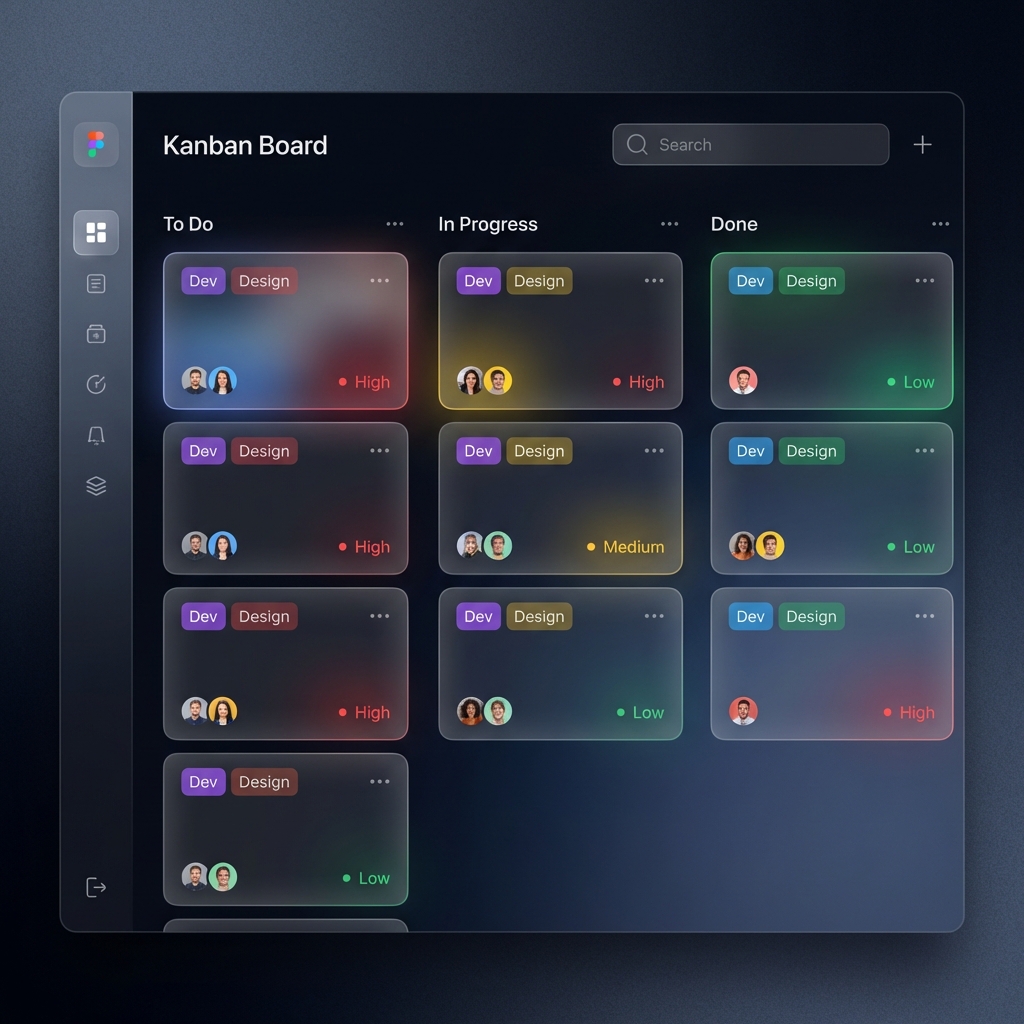
Kanban Boards
Every project has a Board view. Visualize your work by moving tasks through customizable columns (e.g., "To Do", "In Progress", "Done").
- Drag and Drop: Effortlessly move tasks between stages.
- Swimlanes: Group tasks by assignee or priority.
- Filters: Quickly find what you're looking for with "My Tasks" or "High Priority".
Sprints & Backlog
Plan your iterations with the Backlog view. Drag issues from the backlog into an active Sprint to commit to work.
Automated Rollover
Unfinished tasks at the end of a sprint are automatically moved to the next sprint or back to the backlog.
Sprint Features:
- Create sequential sprints and define start/end dates alongside a clear sprint goal.
- Move tasks seamlessly from the backlog into an active or future sprint.
- Easily edit or delete sprints if plans change.
Task Details & Deep Integration
Managing individual issues is fast and powerful in Klority. We eliminate tool fragmentation.
- Full Story View: A dedicated page with a rich text editor for descriptions, subtask management, external links, comments, and file attachments.
- Quick Edit Drawer: Click the pencil icon on any task in the Backlog or Kanban board to open a lightweight side drawer and update status in seconds.
- Cross-Module Deep Linking: Directly attach **Wiki documentation**, **CRM Deals**, and **QA Test Runs** inside the task detail view. Context travels with the ticket automatically.
Project Insights & Reporting
Keep a pulse on your project's health with built-in analytics.
- Sprint Burnup: Track story point completion against your total sprint scope over time.
- Workload Distribution: See exactly who is carrying the load with breakdown charts of assigned story points and task counts.
- Cumulative Flow: Identify bottlenecks by visualizing how tasks move through board columns over the project lifecycle.
Releases & Milestones
Group work into larger milestones or product releases.
Create Releases (e.g., "v2.0 Launch"), assign tasks to them, and track the overall progress of the release independently of sprints. Ensure all linked QA testing is complete before you ship.
 Navigation